


How to Give Team Member Access to Command Center?
Learn how to give access of command center to a user

Transcript

Created:
June 25, 2023
Last updated:
June 25, 2023
[Campus Hub] > Left Navigation Bar > People
1. Follow the above-mentioned workflow to land on the People screen.
2. From the tabs displayed atop, select Staff. Doing so takes you to the Staff members list.
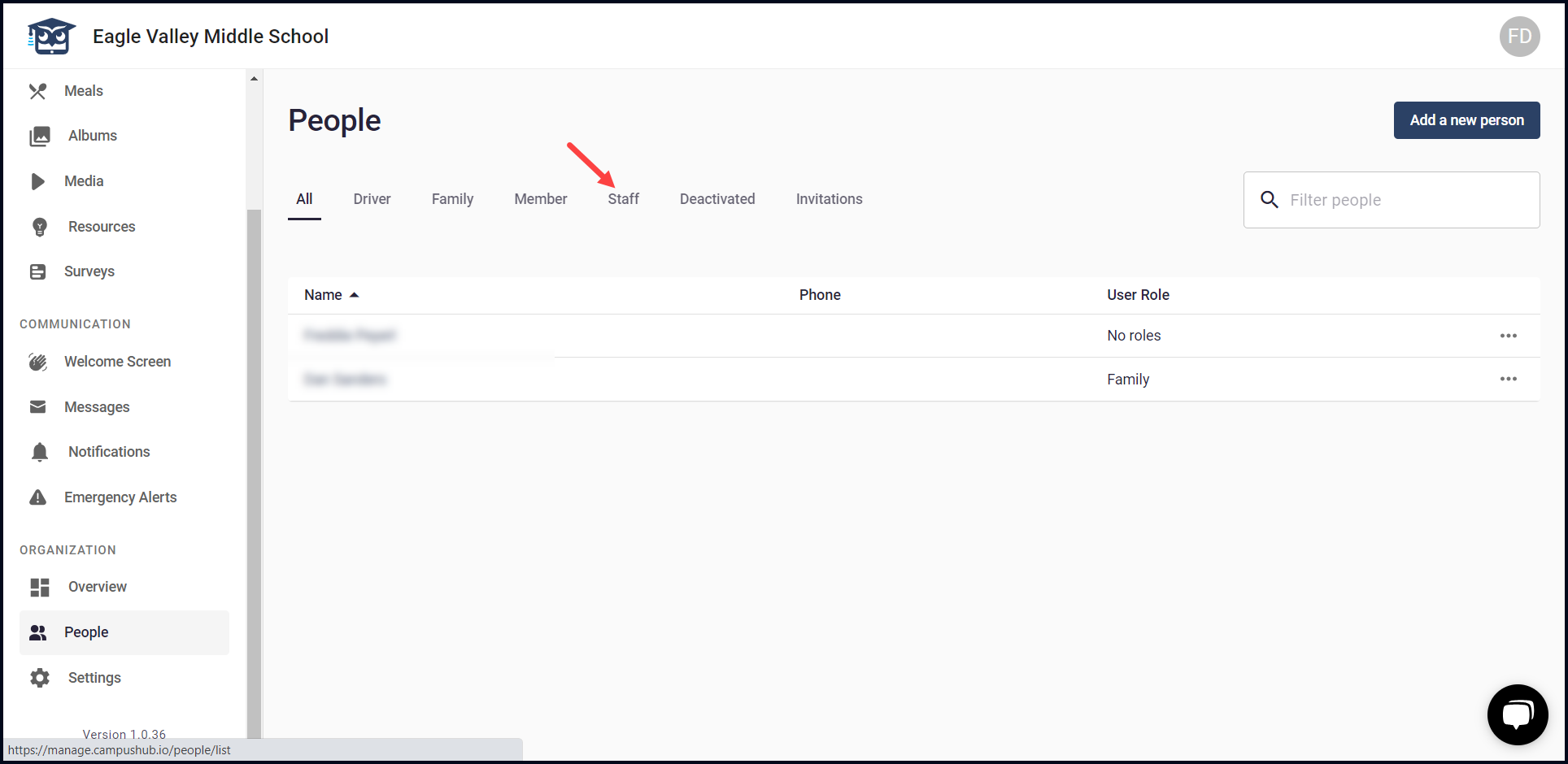
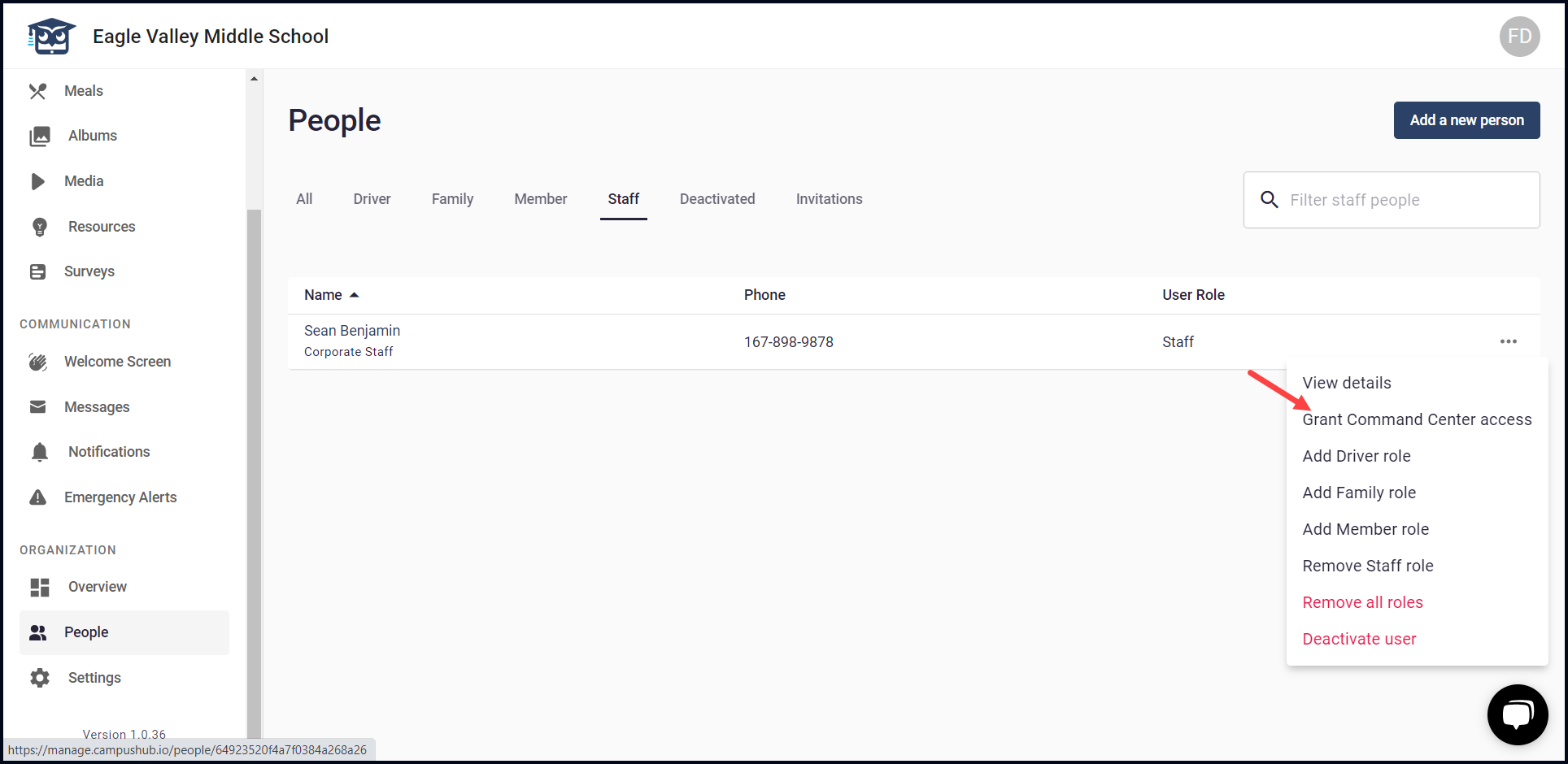
3. For a team member you want to give command center access to, click the three-dot icon. Doing so reveals a number of options.

4. From these options, click Grant Command Center Access.
5. This opens the New admin account screen. Here, enter the details using the fields and checkboxes displayed.
6. Once the fields are filled, click the button.

